All the HR You Need. Simple Enough for Anyone.
ClockInHR comes with every HR module your organization needs — designed to be easy to use, easy to understand, and zero training required.
- 11 Modules
- Zero training needed
- Works for any company size

Still tracking attendance in Excel?
Move attendance, overtime and employee records out of spreadsheets and into one HRMS that does the work for you.
More on our YouTube channelShift and Roster Management
Define how each team works, then plan who works when. Shift and roster settings drive the automatic follow-up reminders and payroll.
Shift Management
Set up multiple shift types for your company with full control:
- A.Fixed start and end time — with or without overtime
- B.Clock-in within a window, complete shift duration
- C.Flexible clock-in/out window with minimum hours
Shift settings directly control the automatic follow-up system and payroll.
Roster Management
Plan employee shift assignments day by day — instead of giving everyone the same fixed shift. Great for teams with changing schedules. The follow-up system and payroll automatically adjust to the assigned schedule.
Leave Management and Attendance Dashboards
Configure the leave types your policy needs and give managers a live view of attendance across every site.
Leave Configuration
Set up one type or multiple types of leave — Casual, Earned, Sick, and Custom leave types. Supports reset and carry-forward at monthly or custom intervals.
Shared Dashboard
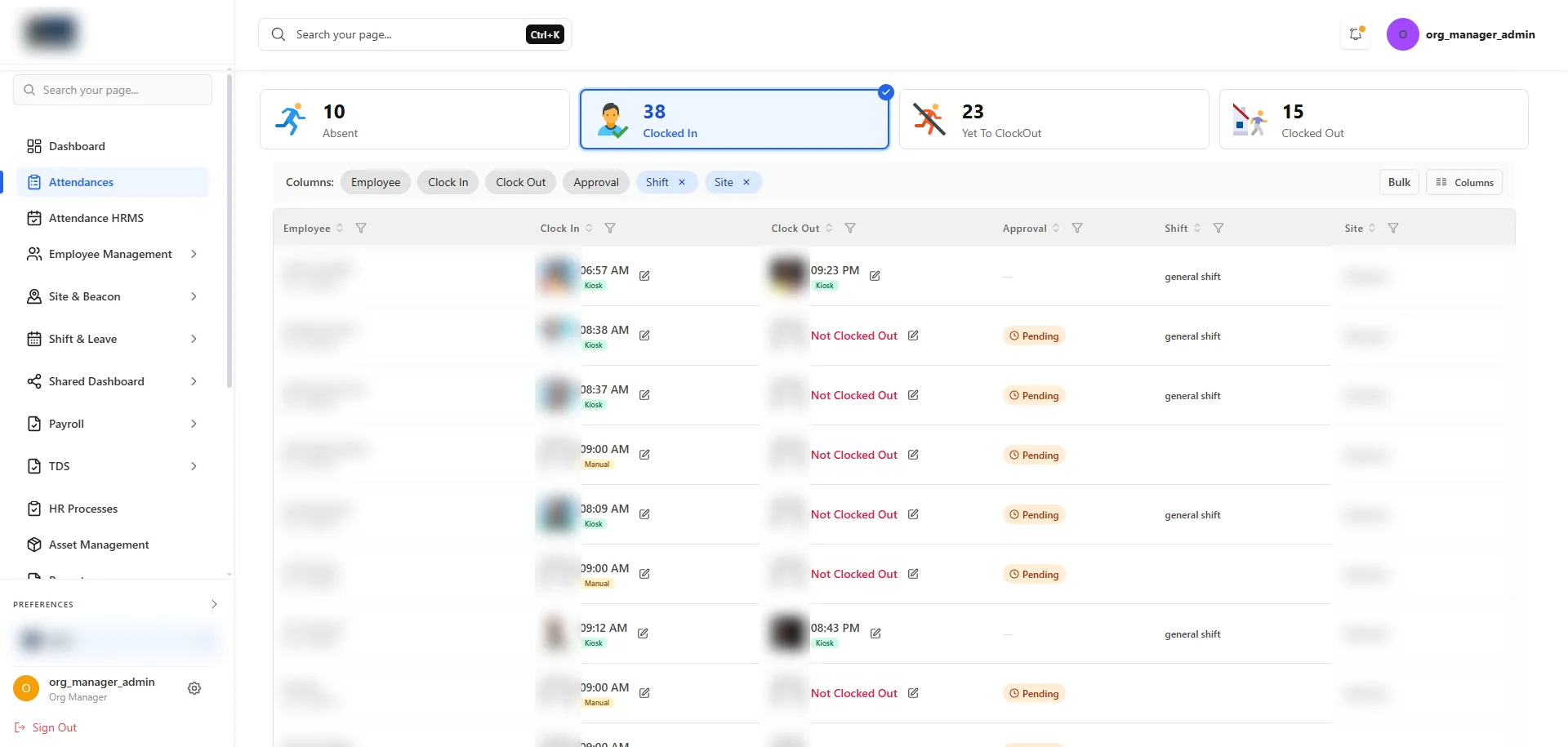
Create shareable attendance views — single-day or whole-month — for all sites or individual sites. Share with managers and owners, or show on a common office screen for everyone to track.
Employee Onboarding, Documents and Access
Handle the full employee lifecycle — joining steps, HR letters, company assets, exit steps and who on your team can manage which site.
Asset Management
Track company items given to employees — laptops, machines, or any equipment. Keep a full record of each item while it is with the employee.
Document Generation
Generate HR documents for all employees with full tracking. Add custom document templates as needed.
Team Access Management
Give site managers access to HR tasks — create logins and grant access for single or multiple sites. Full record of every action and change made.
Employee Onboarding & Offboarding
Create custom joining steps to collect employee details, generate documents, set up salary, and configure leave. Ready-made formats are available — use them directly or adjust. The exit steps make sure every employee leaving is handled carefully.
Payroll, Salary and Loan Management
Set up salary structures once, track employee loans, and run payroll that already accounts for attendance, overtime and deductions.
Salary Setup
Import ready-made salary layouts for different employee groups. Adjust as needed, set the total salary package, and done — salary split and deductions are handled automatically.
Loan Management
Assign loans to employees, give out amounts, and set up monthly payment deductions. Future payrolls automatically account for remaining amounts — loan tracking and salary processing work together smoothly.
Payroll Processing
Run payroll for any date range. The system calculates working days, overtime, shift changes, and loan deductions on its own. One click — select employees — done.
Salary slips sent directly to employees via WhatsApp — no printing, no manual distribution.
Which HR modules does ClockInHR include?
Eleven: shift management, roster management, leave configuration, shared dashboard, asset management, document generation, team access management, employee onboarding and offboarding, salary setup, loan management and payroll processing.
What does payroll processing calculate automatically?
Payroll can be run for any date range. It calculates working days, overtime, shift changes and loan deductions on its own, and salary slips are sent to employees on WhatsApp.
Which leave types can I set up?
Casual, earned, sick and custom leave types, with reset and carry-forward at monthly or custom intervals.
Does it support rotating and flexible shifts?
Yes. Shifts can have a fixed start and end time (with or without overtime), a clock-in window with a full shift duration, or a flexible clock-in and clock-out window with minimum hours. Roster management assigns shifts day by day, and follow-up reminders and payroll adjust to the assigned schedule.
Can site managers get their own access?
Yes. Team access management creates logins for site managers with access to one or several sites, and keeps a record of every action and change made.
Manage your entire HR in one place
Your dedicated account manager sets everything up — you just use it.